
Shared Hosting vs WordPress Hosting: What’s the Difference?
When you start comparing web hosting plans, two names show up on almost every price list. They are shared hosting and WordPress hosting. At a glance they look similar, and plenty of hosts sell both side by side. Under the surface, though, they are built for different jobs. The one you should choose depends on the type of site you are creating, how much traffic you expect, and how much of the technical upkeep you want to handle yourself.
This guide compares shared hosting and WordPress hosting across performance, maintenance, security, scalability, and price. By the end you will know which plan fits your website, and why the cheaper option is not always the better one.
What is Shared Hosting?
Shared hosting is the standard entry point for most new websites. Your site lives on a server alongside many other websites, and all of them share the same processing power, memory, storage, and bandwidth. Think of it like an apartment building: everyone uses the same structure and utility lines, but each tenant has their own space, and the shared costs keep the rent low.
Because the infrastructure is shared, shared hosting is the most affordable way to put a site online. Westhost’s shared hosting plans start at $3.75 per month on a 24-month term and include a free domain, unmetered bandwidth, unlimited SSL certificates, and access to more than 80 one-click applications through StackCP. That app library is a big part of why shared hosting is so versatile as you can install WordPress, a shop builder, a forum, or almost anything else without touching a line of code.

The trade-off is that you are not the only tenant. If a neighboring site suddenly gets a wave of traffic, it can slow down your pages. Shared hosting is a good fit for portfolios, small business sites, and blogs with steady but modest traffic.
For a fuller picture of how servers, domains, and browsers work together, our guide to what web hosting is covers the basics before you commit to any plan.
What is WordPress Hosting?
WordPress hosting is shared hosting that has been rebuilt around WordPress. In most cases your site still shares a server with other customers, but the host has tuned that server for how WordPress actually runs, and added management tools that handle the parts of WordPress maintenance most owners find tedious.
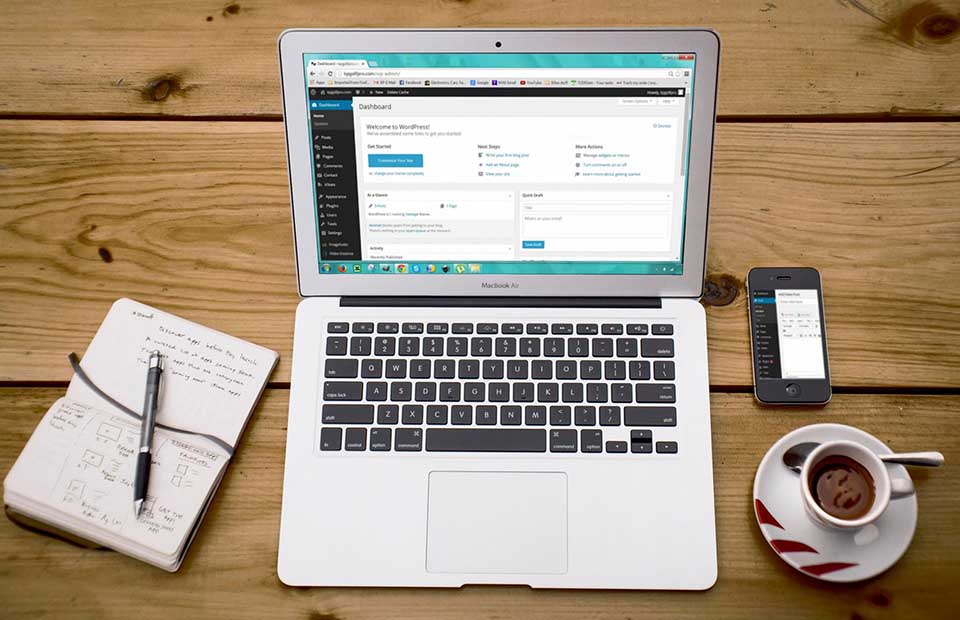
WordPress itself is a free, open-source content management system, and you can read about it directly on wordpress.org. Because WordPress hosts its own theme and plugin ecosystem, the platform works well for everything from simple blogs to full online stores.
Westhost’s WordPress hosting plans start at $6.74 per month on a 24-month term and include a free domain, automatic core updates, a staging environment, daily backups with one-click restore, and daily malware scans with removal. In other words, the host watches the platform, not just the server. Many people call this managed WordPress hosting, because the provider takes responsibility for the WordPress-specific upkeep.
WordPress powers more than four in ten websites on the internet, according to W3Techs, so hosts have every reason to build plans around it. If you want the convenience of WordPress without worrying about updates, backups, and security patches, WordPress hosting is the product designed for exactly that.
Shared Hosting vs WordPress Hosting: The Key Differences
Here is how the two options compare across the factors that matter most when you are choosing a plan.
| Factor | Shared Hosting | WordPress Hosting |
| Starting Price | $3.75/month (24-month term) | $6.74/month (24-month term) |
| Best For | Any website, low to medium traffic | WordPress sites that want managed upkeep |
| Performance | General-purpose server, shared resources | WordPress-specific caching, CDN, edge caching |
| Maintenance | You manage updates and backups | Automatic core updates, daily backups, staging |
| Security | SSL, malware scanning, email filtering | Adds WordPress-specific hardening and malware removal |
| Scalability | Upgrade through shared tiers or move to cloud/VPS | Same tooling scales as you grow |
Performance
Shared hosting gives you a general-purpose server. Your pages load as fast as the shared hardware and your own optimization allow, and a busy neighbor can eat into your resources at peak times. WordPress hosting adds WordPress-specific optimization: server-level caching, edge caching, and a content delivery network (CDN) are built into the plan, so WordPress pages typically load faster with less fiddling.
Both Westhost options include a free CDN, edge caching, and DDoS protection. The difference is that WordPress plans apply those tools to WordPress in particular, and add a staging environment so you can test changes before pushing them live.
Management and Maintenance
On shared hosting, keeping WordPress current is your job. You can switch on automatic updates in the dashboard, but backups, security patches, and performance tuning are mostly on you. WordPress hosting moves that work to the host: core updates run automatically, backups happen daily, and you get a one-click restore if something goes wrong.
If you have ever broken a live site with a plugin update, the staging environment on a WordPress plan stops being a nice extra and starts being the feature that saves your afternoon.
Security
Shared hosting includes solid baseline protection such as SSL certificates, malware scanning, and email filtering are standard. But because the server is shared, WordPress-specific hardening is your responsibility.

WordPress hosting layers WordPress-specific defenses on top with daily malware scans with automatic removal, automatic core updates that close known vulnerabilities, and a hosting team that watches for WordPress threats specifically.
Because WordPress runs so much of the web, it is also a common target for automated attacks. The managed layer on a WordPress plan removes one of the biggest day-to-day risks of running your own site.
Price
Shared hosting is the budget option, and the gap is real. Westhost’s shared Essential plan is $3.75 per month, while the WordPress Essential plan is $6.74 per month on the same 24-month terms. Before you pick the cheaper one, add up what the WordPress plan includes (automatic updates, staging, daily backups, malware removal, and WordPress-trained support). Buying those separately, either as plugins or as a maintenance service, quickly costs more than the difference.
For a site that runs on WordPress and will grow, the premium is usually worth it. For a simple site where you are comfortable handling WordPress yourself, shared hosting keeps more money in your pocket.
Scalability
Both plans scale as your site grows, but they grow in different ways. With shared hosting you move up through larger shared plans, or jump to cloud or dedicated hosting when you outgrow them. WordPress hosting keeps you on a platform where the WordPress-specific tooling stays consistent as you upgrade, so growth feels like changing plans rather than changing homes.
Westhost runs data centers in London, Dallas, and Singapore, and every plan includes a 99.9% uptime guarantee and a 30-day money-back guarantee, whichever option you choose.
When To Choose Shared Hosting
Shared hosting wins when your budget is the deciding factor, when your site does not rely on WordPress, or when you are comfortable with the technical side. It is the right call for a portfolio, a simple business site, a personal blog, or any project where you want maximum flexibility for the lowest cost. Because it is general purpose, you can run WordPress, a custom app, or several different tools on the same account.
Westhost’s shared plans let you host from one to unlimited websites depending on the tier, all with unmetered bandwidth and free SSL. If you are still sizing up what your business actually needs online, our small business hosting guide walks through the options in plain language.
When To Choose WordPress Hosting
WordPress hosting is the better fit when WordPress is central to your site and you would rather pay for convenience than spend time on upkeep. That covers a lot of situations like a blog you want to grow, a WooCommerce store, a business site built on WordPress themes and plugins, or a site where you need staging to test changes safely.
If the idea of updating plugins, chasing security patches, and restoring backups yourself sounds like a second job, WordPress hosting removes that job. Westhost’s WordPress plans bundle automatic updates, daily backups, staging, and malware removal into the monthly price, so the maintenance that usually eats your weekend happens in the background.
Can You Use WordPress On Shared Hosting?
Yes, and most people do. Shared hosting is a general-purpose environment, and every major host, including Westhost, offers one-click WordPress installation alongside dozens of other apps. If you are comfortable updating WordPress yourself, configuring a caching plugin, and keeping an eye on security, shared hosting runs WordPress perfectly well.
The question is not whether WordPress will run on shared hosting. It is how much of the maintenance you want to handle. Choose shared hosting if you want the lowest price and do not mind the upkeep. Choose WordPress hosting if you want the platform’s busywork handled for you.
Still new to the platform? The knowledge base has a plain-English introduction to WordPress that explains themes, plugins, and the dashboard before you start.
How To Choose: A Quick Checklist
Run through these five questions and the answer usually becomes clear.
- What is the budget? Shared hosting starts lower and covers most starter sites.
- • Is WordPress central to the site? If yes, WordPress hosting adds real value. If the site could run on anything, shared hosting is fine.
- • Do you want to manage updates and backups? If you would rather not, WordPress hosting handles them for you.
- • Will the site grow quickly? WordPress plans keep the same tooling as you scale, so upgrades feel simple.
- • How comfortable are you with the technical side? Comfortable users can save money on shared hosting; everyone else gains from the managed layer.
Either way, both Westhost options include a free domain, free SSL, a 99.9% uptime guarantee, and a 30-day money-back guarantee, so you can try one plan and switch without losing funds should your needs change.

The Bottom Line: Which Should You Choose?
If your site is simple, your traffic is modest, and you are comfortable handling WordPress updates yourself, shared hosting is the sensible choice. It costs less, runs any platform, and leaves room to grow.
If WordPress is the heart of your site, you want the maintenance handled, or you rely on staging, automatic backups, and managed security, WordPress hosting is worth the extra few dollars a month. The price difference is small compared with the time it saves and the protection it adds.
The good news is that you do not have to get this exactly right the first time. Start with a shared hosting plan or a WordPress hosting plan, and Westhost’s free migration and 30-day money-back guarantee cover you if you change your mind.
Frequently Asked Questions
Not quite, WordPress hosting usually runs on shared infrastructure, but the host tunes the server for WordPress and adds management tools like automatic core updates, staging, daily backups, and malware removal. Shared hosting is general purpose: it runs WordPress fine, but the WordPress-specific upkeep is your responsibility.
Yes, shared hosting supports WordPress out of the box, and Westhost includes one-click WordPress installation on its shared plans. You just handle updates, backups, and security yourself.
For most WordPress sites, yes. Automatic updates, daily backups, staging, and malware removal are included in the plan, and buying those services separately usually costs more than the price difference. If you are confident managing WordPress yourself, shared hosting is a valid way to save money.
Both work. A small business site on WordPress with a handful of pages runs happily on shared hosting. If the site supports ecommerce, accepts bookings, or is critical to how you get customers, the staging, backups, and managed security on a WordPress plan are worth the premium.
Yes, Westhost includes free site migration and 24/7 support, so moving from a shared plan to a WordPress plan is straightforward. You can start on shared hosting and move up when your site outgrows it or you decide you want the managed features.
Yes, Westhost sells shared hosting from $3.75 per month and WordPress hosting from $6.74 per month on 24-month terms, both with a free domain, free SSL, a 99.9% uptime guarantee, and a 30-day money-back guarantee.